Showing all 10 results

Video Editing Laptops

Find the latest video editing laptop prices in BD at ASES Tech. Browse RTX laptops with color-accurate displays, high RAM, and fast CPUs with an official warranty!

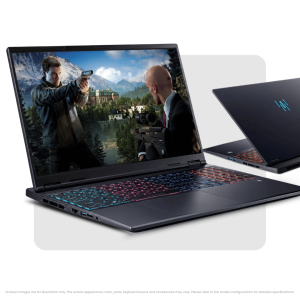
Acer Predator Helios Neo 16S AI Core Ultra 9 275HX RTX 5060 Gaming Laptop
-5%
Original price was: 247,000৳ .Current price is: 233,500৳ .
SKU: NH.QX5EM.003 (PSL : 02)
0 days 00 hr 00 min 00 sc
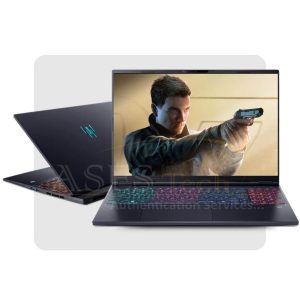
Acer Predator Helios Neo 16S AI Core Ultra 9 275HX RTX 5070 Gaming Laptop
-5%
Original price was: 289,000৳ .Current price is: 275,500৳ .
SKU: NH.QVUEM.002_PSL_03
0 days 00 hr 00 min 00 sc
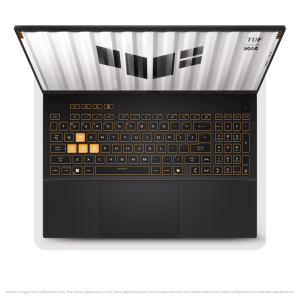
ASUS TUF A16 Gaming Laptop AMD Ryzen 7 260 16GB DDR5 RAM 512GB SSD RTX 5060 8GB 16″ WUXGA 144Hz IPS Display (Jaeger Grey)
-5%
Original price was: 208,000৳ .Current price is: 198,500৳ .
SKU: 90NR0KV1-M00E30 (PSL : 02)
0 days 00 hr 00 min 00 sc
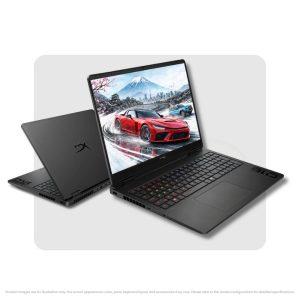
HP OMEN 16 Core Ultra 7 RTX 5060 gaming laptop
-4%
Original price was: 227,000৳ .Current price is: 217,000৳ .
SKU: D5CD0UA (PSL : 05)
0 days 00 hr 00 min 00 sc
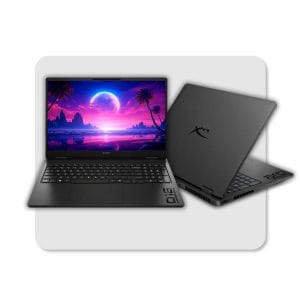
HP OMEN 16 Ryzen 9 8940HX RTX 5060 Gaming Laptop
-4%
Original price was: 201,000৳ .Current price is: 192,500৳ .
SKU: C34K9PA (PSL : 07)
0 days 00 hr 00 min 00 sc
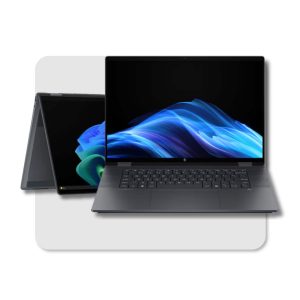
HP OmniBook 16 Ultra 7
-5%
Original price was: 142,000৳ .Current price is: 135,500৳ .
SKU: B5UH1UA_PSL_05
0 days 00 hr 00 min 00 sc
HP Victus 15 Ryzen 7 RTX 4050
-3%
Original price was: 146,000৳ .Current price is: 141,000৳ .
SKU: BM4X8UA_PSL _08
0 days 00 hr 00 min 00 sc
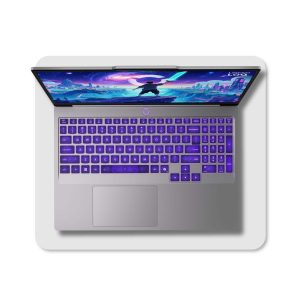
Video Editing Laptops Price in Bangladesh — High-Performance Creator Machines

Video editors, YouTubers, and content creators in Bangladesh require computing hardware that goes far beyond standard office machines. Smooth 4K timeline playback, multi-track audio scrubbing, color grading in DaVinci Resolve, and fast rendering in Adobe Premiere Pro demand dedicated graphics power, multi-core processing, and high-bandwidth memory. High-performance Video Editing Laptops bridge this gap by combining desktop-class performance with portable convenience. At ASES Tech, our curated selection of creator-grade and gaming laptops ensures you get maximum rendering speed, color-accurate displays, and reliable thermal cooling with official brand warranty support across Bangladesh.

Category Overview & Market Trends in Bangladesh

Selecting the right laptop for video post-production involves balancing raw processing power, graphics acceleration, memory capacity, and display quality. In the Bangladeshi computer market, laptops equipped with dedicated NVIDIA GeForce RTX graphics cards have become the primary choice for video creators. Modern video editing software heavily utilizes GPU acceleration through CUDA cores and dedicated hardware encoders (such as NVIDIA NVENC), making discrete graphics essential for processing H.264, H.265, and RAW video footage smoothly.

At ASES Tech, video editing laptops range from entry-level 1080p editing rigs to extreme multi-stream 4K/6K workstation-class machines. Whether you are a student starting with 1080p reel editing or a full-time freelancer delivering client projects in 4K, having the right hardware setup prevents software crashes, reduces timeline lag, and saves valuable hours during export operations.

Video Editing Laptops Lineup at ASES Tech

Our collection focuses on laptops that meet strict post-production requirements: high multi-core CPU performance, dedicated VRAM, fast Gen4 NVMe storage, and expansion capability.

Category Path:
Laptops
  ├── Gaming Laptops (Creator & Performance Class)
  │     ├── High-Performance Video Editing Laptops
  │     │     ├── Entry-Level 1080p Editing (RTX 3050 / RTX 4050)
  │     │     ├── Advanced 4K Editing & Motion Graphics (RTX 5050 / RTX 5060 / RTX 5070)
  │     │     └── Heavy 3D Rendering & VFX Workstations (Core Ultra 9 / Ryzen 9 + High VRAM)

Essential Hardware Checklist for Video Post-Production

  • Graphics Processor (GPU): NVIDIA GeForce RTX series with dedicated GDDR6 or GDDR7 VRAM for accelerated playback and faster video encoding.

  • Central Processor (CPU): Multi-core Intel Core i7 / i9 / Core Ultra or AMD Ryzen 7 / 9 for multi-threaded encoding, background processing, and preview rendering.

  • System Memory (RAM): 16GB DDR5 as a starting baseline; 32GB or higher recommended for 4K video, After Effects compositions, and heavy multitasking.

  • Solid State Storage: High-speed NVMe PCIe Gen4 SSDs to allow rapid read speeds when pulling multi-gigabyte source media footage.

  • Display Panel: Full HD or 2K/WQXGA IPS displays offering high color space coverage (100% sRGB or DCI-P3) for accurate color correction.

Featured Video Editing Models Available at ASES Tech

The following configurations represent popular, verified options available at ASES Tech for content creation and post-production in Bangladesh:

Laptop ModelProcessorMemory / StorageDedicated GPUDisplay SpecsBest Suited ForStarting Price (BDT)
HP Victus 15-fa2317TXIntel Core i7-13620H16GB DDR4 / 512GB NVMe SSDNVIDIA RTX 4050 6GB GDDR615.6" FHD 144Hz IPS1080p & Light 4K Editing৳146,500
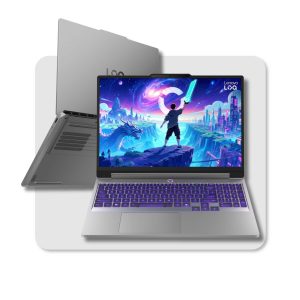
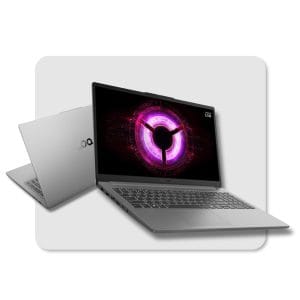
Lenovo LOQ Essential 15ARP10EAMD Ryzen 7 17016GB DDR5 / 512GB Gen4 SSDNVIDIA RTX 4050 6GB GDDR615.6" FHD 144Hz IPSFreelance Video & Motion Graphics৳145,000
ASUS TUF A16 Gaming LaptopAMD Ryzen 7 26016GB DDR5 / 512GB SSDNVIDIA RTX 5060 8GB GDDR716" WUXGA 144Hz IPSHeavy 4K Timeline & Color Grading৳198,500
HP OMEN 16-am2013dxIntel Core Ultra 7 356H16GB DDR5 / 1TB NVMe SSDNVIDIA RTX 5060 8GB GDDR716" 2K 144Hz Color-Rich DisplayProfessional Studio Post-Production৳217,000
Acer Predator Helios Neo 16S AIIntel Core Ultra 9 275HX32GB DDR5 / 1TB Gen4 SSDNVIDIA RTX 5070 8GB GDDR716" WQXGA High Color AccuracyHeavy 3D VFX, 4K/6K RAW Editing৳275,500

Note: Prices and availability may change depending on model, configuration, stock, and market conditions. Check the latest ASES Tech product listing before purchasing.

Popular Creator & Performance Laptop Brands at ASES Tech

Different laptop manufacturers design their performance lineups with distinct cooling solutions, display panels, and chassis build materials. Here is how the top brands compare for video editing workflows in Bangladesh:

BrandPopular SeriesPrimary Strength for Video EditingIdeal Audience
ASUSTUF Gaming & ROG StrixDurable chassis, robust cooling, and next-gen RTX optionsContent creators, YouTubers, and heavy editors
HPVictus & OMENSleek design, quiet fan profiles, high display clarity, and Core Ultra platformsAgency video editors, freelancers, and professionals
LenovoLOQ & Legion 5Excellent tactile keyboards, high thermal headroom, and strong price-to-performance ratioStudents, motion design freelancers, and studio editors
AcerPredator Helios & NitroAdvanced AI-assisted processors, high-wattage GPUs, and bright display panelsVFX artists, 3D animators, and high-end video producers

How to Choose the Right Laptop for Video Editing

Selecting an editing laptop requires matching your hardware choices to the exact video editing software and project resolution you work with every day.

Buying Framework:
Budget Assessment ➔ Editing Software (Premiere / Resolve / After Effects) ➔ CPU Cores ➔ Dedicated GPU VRAM ➔ RAM Size ➔ NVMe SSD Speed ➔ Display Color Accuracy ➔ Warranty & After-Sales Support

1. Match the Processor (CPU) to Your Workflow

Video editing applications rely heavily on multi-core processing.

  • Full HD (1080p) Editing: Intel Core i5 or AMD Ryzen 5 provides sufficient power for cutting clips, adding text overlays, and rendering short social media videos.

  • 4K Timeline & Multicam Editing: Intel Core i7 / Core Ultra 7 or AMD Ryzen 7 / Ryzen 9 is recommended. Extra cores accelerate background rendering and prevent frames from dropping during playback.

  • Complex Motion Graphics & 3D VFX: Intel Core Ultra 9 or Core i9 HX-series processors deliver the raw clock speeds needed for heavy processing.

2. Dedicated Graphics (GPU) & Hardware Encoding

Integrated graphics processors share memory with system RAM and lack the specialized processing pipelines needed for modern video editors.

  • NVIDIA GeForce RTX 3050 / RTX 4050 (6GB VRAM): Great entry point for 1080p video editing, YouTube content, and basic color correction.

  • NVIDIA GeForce RTX 5050 / RTX 5060 (8GB VRAM): Recommended for smooth 4K timeline scrubbing, multi-layer color grading, and heavy export acceleration using dual NVENC engines.

  • NVIDIA GeForce RTX 5070 (8GB+ VRAM): Built for 4K RAW footage, 3D composition in After Effects, and AI-accelerated effects like magic mask tracking in DaVinci Resolve.

3. System RAM: The Key to Scrubbing Without Stutter

  • 16GB RAM: The absolute minimum for modern video editing. Works well for 1080p projects and moderate multi-tasking.

  • 32GB RAM: The ideal sweet spot for 4K video editing, running Premiere Pro alongside Photoshop, and handling high-resolution graphic assets without page filing lag.

4. Display Panel & Color Accuracy

Color accuracy is vital when preparing video content for commercial release.

  • sRGB Coverage: Look for panels offering 100% sRGB coverage to ensure colors look consistent across phones, monitors, and TVs.

  • Resolution: WUXGA (1920x1200) or 2K/WQXGA (2560x1600) panels provide additional vertical workspace for your editing timeline and media bins.

Video Editing Laptop Options by Use Case

For YouTubers & Social Media Content Creators

  • Typical Projects: 1080p to 4K YouTube videos, Instagram Reels, TikTok clips, and podcasts.

  • Key Needs: Fast export speeds, reliable portability, clear display, and quiet operation during voiceovers.

  • Recommended Specs: Intel Core i7 / Ryzen 7, 16GB DDR5 RAM, NVIDIA RTX 4050 or RTX 5050.

For Freelance Video Editors & Wedding Videographers

  • Typical Projects: Multi-camera wedding coverage, commercial promo videos, and long-form documentary edits.

  • Key Needs: Heavy multi-track timeline performance, large SSD capacity for RAW footage, and color-accurate IPS panels.

  • Recommended Specs: Intel Core Ultra 7 / Ryzen 7 260, 16GB–32GB RAM, NVIDIA RTX 5060 (8GB GDDR7).

For Motion Designers & VFX Artists

  • Typical Projects: After Effects motion graphic templates, 3D animation (Blender/Cinema4D), and visual effects compositing.

  • Key Needs: Maximum CPU clock speed, high RAM capacity for RAM preview playback, and high GPU VRAM.

  • Recommended Specs: Intel Core Ultra 9 / Core i7 HX-series, 32GB RAM, NVIDIA RTX 5060 or RTX 5070.

Price Range & Budget Guide in Bangladesh

Laptop prices in Bangladesh vary depending on GPU generation, display quality, processor tier, and brand warranty terms.

Price Segmentation in BD (2026):

Entry-Level Editing Range (BDT 100,000 – 140,000):
• Core i5 / Ryzen 5 / Ryzen 7
• RTX 3050 / RTX 4050 (6GB VRAM)
• 16GB RAM & 512GB SSD
• Ideal for 1080p timeline edits, social media video creation, and learning post-production.

Mid-Range 4K Editing Range (BDT 140,000 – 200,000):
• Intel Core i7 / Core Ultra 5 / Ryzen 7
• RTX 4050 / RTX 5050 / RTX 5060 (6GB–8GB VRAM)
• 16GB–32GB RAM & 512GB/1TB SSD
• Smooth 4K scrubbing, fast multi-track rendering, and color grading.

Professional & Studio Workstation Range (BDT 200,000 – 300,000+):
• Intel Core Ultra 7 / Ultra 9 / Ryzen 9
• RTX 5060 / RTX 5070 (8GB+ VRAM)
• 32GB DDR5 RAM & 1TB Gen4 SSD
• High color-accuracy display panels (2K/QHD/OLED)
• Built for heavy 4K RAW editing, 3D VFX, motion graphics, and studio production.

Why Buy Video Editing Laptops from ASES Tech?

Buying a high-value laptop for post-production requires trust, reliable hardware verification, and official warranty support. Here is why tech professionals across Bangladesh choose ASES Tech:

  1. 100% Genuine Products: All laptops listed at ASES Tech are sourced directly with official manufacturer backing.

  2. Transparent BD Pricing: We maintain competitive, updated market pricing across our entire laptop selection.

  3. Expert Guidance: Our team helps you match your specific editing software needs (Premiere Pro, DaVinci Resolve, After Effects) with the optimal hardware configuration.

  4. Convenient Physical & Online Store Access: Visit our outlet at Shop-1317, Multiplan Centre, New Elephant Road, Dhaka, or order online for fast nationwide delivery.

  5. Comprehensive Warranty Support: Enjoy peace of mind with official brand warranty protection and reliable after-sales service.

Frequently Asked Questions

What is the minimum laptop spec needed for video editing in Bangladesh?

For smooth 1080p video editing, a laptop should have at least an Intel Core i5 or AMD Ryzen 5 processor, 16GB RAM, a 512GB NVMe SSD, and a dedicated NVIDIA GeForce RTX 3050 or RTX 4050 GPU (6GB VRAM).

Is a dedicated GPU necessary for video editing?

Yes. While integrated graphics can handle light trimming, dedicated GPUs (like NVIDIA RTX series) accelerate color grading, timeline playback, visual effects processing, and final file rendering significantly using CUDA cores and hardware encoders.

How much RAM do I need for 4K video editing?

16GB RAM is the baseline starting point, but 32GB RAM is strongly recommended for 4K video editing, running multi-layer timelines, and working with Adobe After Effects alongside Premiere Pro.

Should I prioritize CPU or GPU for Premiere Pro and DaVinci Resolve?

Both are crucial, but they serve different functions. Adobe Premiere Pro relies heavily on multi-core CPU speed for processing media and effects, while DaVinci Resolve relies extensively on dedicated GPU VRAM and processing power for real-time color grading and timeline rendering.

What display specification matters most for video editors?

Look for IPS panels that provide high color gamut coverage—ideally 100% sRGB or close to 100% DCI-P3. High color accuracy ensures that the colors you see on screen match what your viewers see across mobile screens and TVs.

Can gaming laptops be used for professional video editing?

Yes, absolutely. Gaming laptops offer the high-performance CPUs, powerful dedicated RTX GPUs, robust cooling systems, and expandable memory needed for video post-production.

Where can I buy original video editing laptops in Dhaka, Bangladesh?

You can buy authentic video editing laptops with official warranty at ASES Tech, located at Shop-1317, Multiplan Centre, New Elephant Road, Dhaka, or order online through the ASES Tech website with fast shipping nationwide.

Final Buying Guidance

Investing in the right performance laptop ensures your editing timeline remains fluid and your rendering times stay short. When choosing your machine at ASES Tech, evaluate your regular video editing projects: if you mostly cut 1080p video for social media, an RTX 3050 or RTX 4050 laptop offers fantastic value. If you handle professional 4K footage, commercial color grading, or complex motion graphics, invest in an Intel Core Ultra / Ryzen 7 configuration paired with an RTX 5060 GPU and 16GB to 32GB of RAM.

Explore the full range of options at ASES Tech today, check live stock availability, and upgrade your post-production workflow!